Enterprise Servers
Mobile Workstation
Tower and Rack Workstation Series

DELL EMC PowerEdge Servers

HPE ProLiant Servers


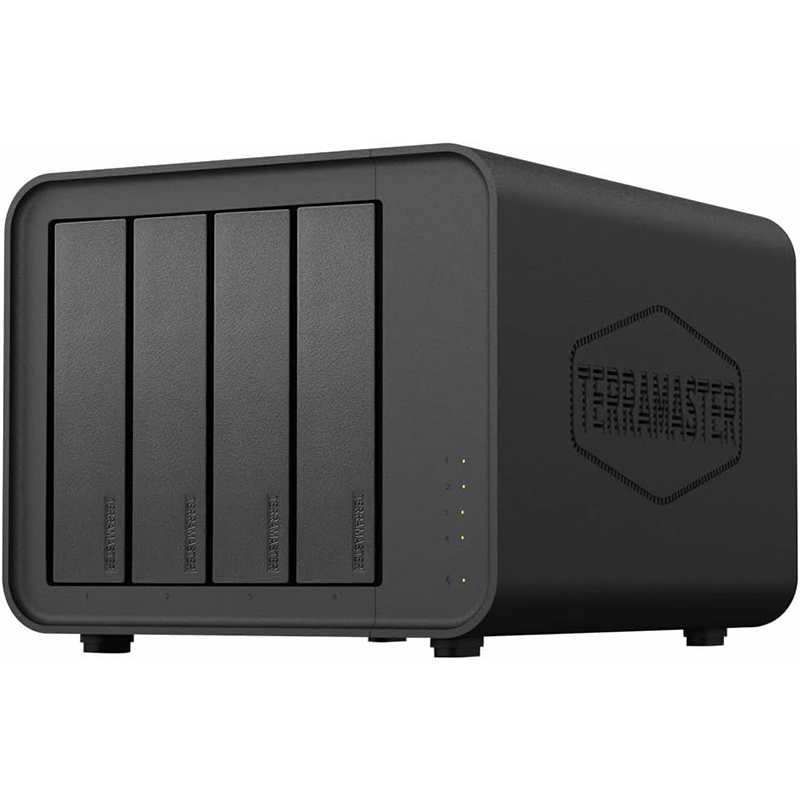
4‑bay external DAS enclosure for SATA HDDs and SSDs.
USB 3.2 Gen 2 Type‑C interface with up to 10 Gbps transfer speed.
Plug-and-play; compatible with Windows, macOS, and Linux.
Hot-swappable drives for easy replacement or upgrades.
Tool-free drive trays for quick installation.
Temperature-controlled fan for quiet and efficient cooling.
Supports up to 30 TB per drive (120 TB total).
No built-in RAID; file system managed by host OS.
Compact, durable design suitable for desktops and media workstations.
The TerraMaster D4‑320 is a 4‑bay external hard drive enclosure that lets you connect up to four internal SATA drives (HDDs or SSDs) to a computer via USB‑C. It’s not a NAS with its own operating system — it’s designed to act as high‑capacity external storage that your computer sees as individual drives.
Device type: 4‑bay USB DAS hard drive enclosure (no built‑in RAID)
Compatibility: Windows, macOS, Linux
Plug‑and‑play: Yes (driverless)
Hot swap support: Yes (replace drives while powered on)
Drive slots: 4
Supported disk types:
3.5″ SATA HDD
2.5″ SATA HDD
2.5″ SATA SSD
Maximum raw capacity: Up to 120 TB total (30 TB × 4)
File system support: NTFS, APFS, FAT32, EXT4, exFAT (via host OS)
RAID: None built in (each drive appears individually)
Upstream interface: USB 3.2 Gen 2 Type‑C (10 Gbps max)
USB compatibility: USB 3.0 / 3.1 / 3.2, Thunderbolt 3 & 4 support via USB‑C
Power: 12 V DC input (external adapter)
Max read (1× SSD): ~510 MB/s
Max read (4× SSD): ~1016 MB/s (combined)
Max write: ~960 MB/s (4× SSD)
Dimensions: ~222 × 179 × 154 mm (H×W×D)
Net weight: ~1.9 kg
Cooling fan: 120 × 120 × 25 mm, smart control (temperature‑regulated)
Noise level: ~21 dB(A)
AC input: 100–240 V, 50/60 Hz
Power consumption: ~40.8 W (active), ~3.7 W (standby)
Operating temp: 0 °C to 40 °C
Humidity: 5 % – 95 % RH
Main unit
USB‑C (USB 3.2 Gen2) cable
Power adapter & cord
Quick start guide
The D4‑320 can hold up to four SATA drives at once, supporting both 3.5″ HDDs and 2.5″ HDDs or SSDs. This allows users to expand storage capacity significantly without needing multiple external enclosures, making it ideal for large media libraries or backup solutions.
It connects to your computer via USB 3.2 Gen 2 Type‑C, offering maximum transfer speeds of up to 10 Gbps. This high-speed interface ensures fast read and write operations, which is particularly useful when working with large files like 4K videos or databases.
The enclosure is driverless and plug-and-play, meaning it works immediately on Windows, macOS, and Linux systems without installing additional software. This simplifies setup and makes it accessible for both beginners and experienced users.
With hot-swap capability, drives can be inserted or removed while the unit is powered on, without shutting down the system. This is useful for replacing faulty drives, upgrading storage, or backing up data on the fly.
The D4‑320 features tool-free drive trays with push-lock mechanisms, allowing drives to be installed or removed easily without any screws or tools. This saves time and reduces the risk of damage to drives during installation.
It has a temperature-controlled 120 mm fan that adjusts its speed based on internal heat levels, keeping the drives cool while minimizing noise. Effective cooling helps prolong drive life and ensures stable performance during long data transfers.
The enclosure supports drives up to 30 TB each, allowing for a total raw storage of 120 TB. This makes it suitable for users who need massive storage for video editing, content creation, or extensive backups.
While it does not provide built-in RAID, it works with multiple file systems (NTFS, APFS, exFAT, EXT4, FAT32) through the host computer. This flexibility ensures compatibility with various operating systems and storage workflows.
The D4‑320 consumes ~40 W during active use and ~3.7 W in standby, making it energy-efficient compared to older enclosures. Lower power usage reduces electricity costs and heat generation over long periods of operation.
The enclosure has a compact aluminum and plastic body with dimensions around 222 × 179 × 154 mm and weighs about 1.9 kg. Its durable design protects drives from physical damage while maintaining a minimal footprint on a desk.


Reviews
There are no reviews yet.