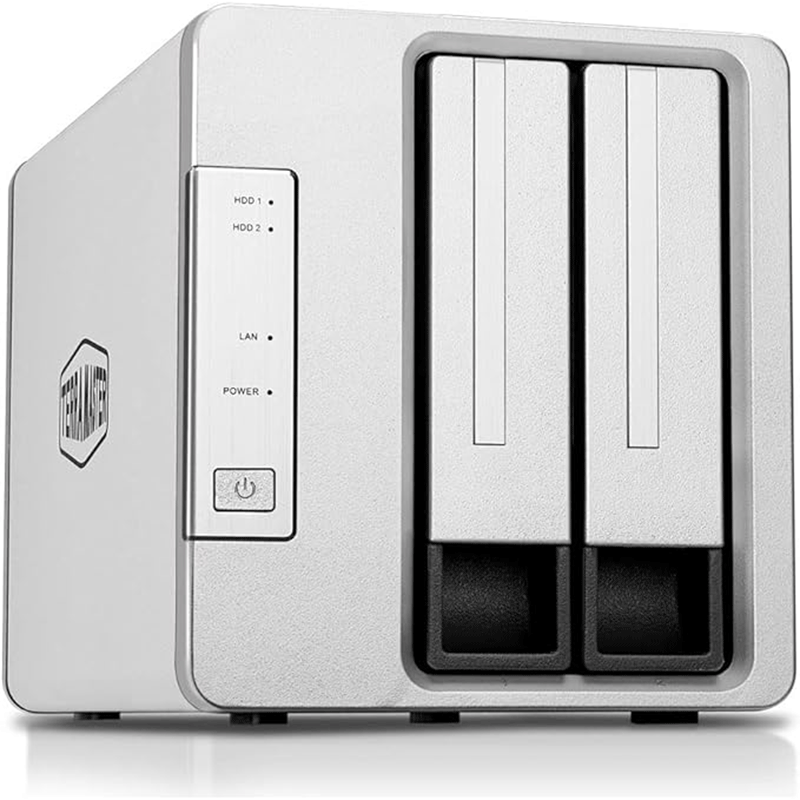
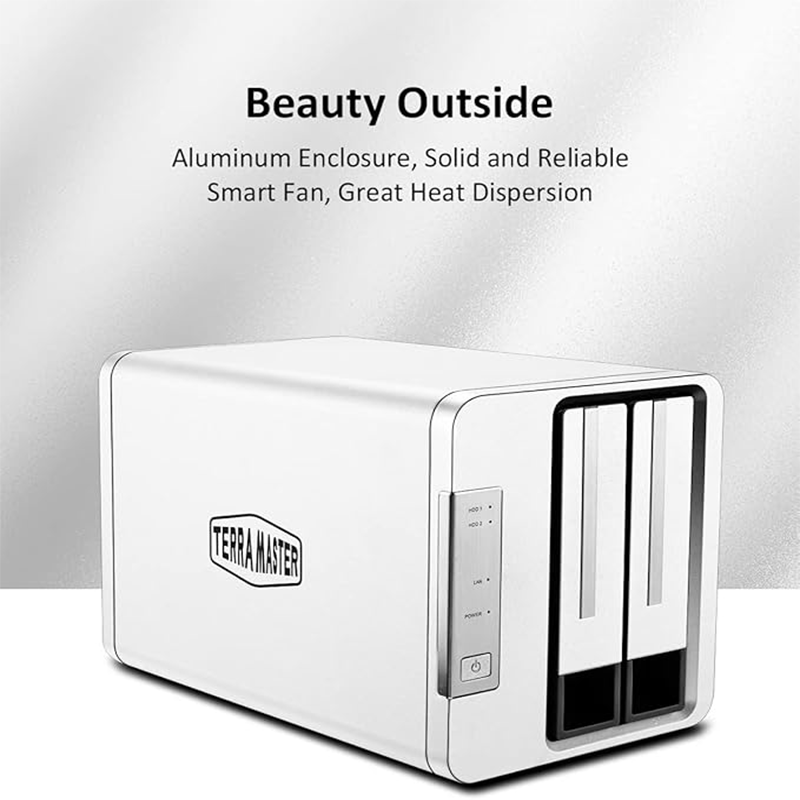
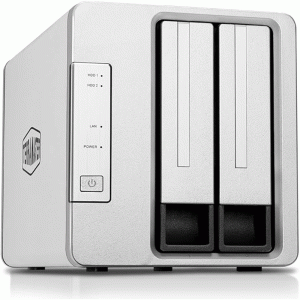
TERRAMASTER D2-310 USB Type C External Hard Drive RAID Enclosure USB3.1 (Gen1, 5Gbps) 2-Bay RAID Storage Support RAID 0/1/Single (Diskless)
Description
TerraMaster D2‑310 is a 2‑bay USB‑C external RAID storage enclosure that lets you install two SATA HDDs or SSDs for high‑capacity direct‑attached storage with RAID 0/1, JBOD, or Single Disk modes — ideal for backups, media libraries, and PC/Mac workflows.
Specifications
-
Drive Bays: 2 × 2.5″/3.5″ SATA HDD/SSD supported
-
Maximum Raw Capacity: Up to 40 TB (20 TB × 2 drives)
-
Supported RAID Modes: SINGLE Disk, JBOD, RAID 0, RAID 1 (hardware RAID)
-
External Interface: 1 × USB 3.1 Gen 1 Type‑C (5 Gbps)
-
Max Data Speeds: Read up to ~410 MB/s, Write up to ~400 MB/s (RAID 0)
-
Supported File Systems: NTFS, APFS, Mac OS, FAT32, EXT4, exFAT
-
Cooling: 1 × 80 mm smart fan, ~18.6 dB(A) noise
-
Power: 40 W PSU, 100–240 V AC input
-
Operating Temp: 5 °C–40 °C
-
Dimensions: ~227 × 119 × 133 mm
-
Weight: ~1.3 kg (net)
-
OS Compatibility: Windows, macOS, Linux
-
Other: HDD sleep support, RAID auto‑rebuild for RAID 1
Features
🔹 1. Dual‑bay Storage with Huge Capacity
The D2‑310 supports two SATA drives (either 3.5″ HDDs or 2.5″ HDD/SSDs), allowing you to install up to 40 TB of raw storage in a single unit. This makes it suitable for storing large media libraries, backups, and project files without needing multiple devices.
🔹 2. Flexible RAID Modes
It offers four RAID configurations—RAID 0, RAID 1, JBOD, and Single Disk—which let you balance performance and data protection:
-
RAID 0: Combines both drives to boost speed and total capacity.
-
RAID 1: Mirrors data on both drives for redundancy—if one drive fails, your data remains intact.
-
JBOD: Treats the drives as one large, combined volume, even if they’re different sizes.
-
Single Disk: Uses each drive separately if you prefer independent storage.
This flexibility means you can tailor the setup to your needs, whether that’s speed, backup safety, or simple large storage.
🔹 3. High‑Speed USB‑C Connectivity
The enclosure uses a USB 3.1 Gen 1 Type‑C port (5 Gbps), delivering read speeds up to ~410 MB/s and write speeds near 400 MB/s in ideal conditions. This makes file transfers and large backups noticeably faster compared to older USB standards, and the USB‑C interface also ensures broad compatibility with modern PCs and Macs.
🔹 4. Compatibility with Multiple Drive Types
You can install both 2.5″ and 3.5″ SATA drives, including HDDs and SSDs. This lets you mix and match for various purposes—like a fast SSD for editing projects and larger HDDs for long‑term storage.
🔹 5. Sturdy Aluminum Enclosure with Cooling
The unit is built with a metal aluminum case and an 80 mm smart fan that runs quietly while keeping the drives cool. Good thermal management helps maintain performance under load and prolongs the life of your drives.
🔹 6. Broad Operating System Support
It works with Windows, macOS, and Linux, without needing special drivers in most cases. Whether you’re editing video projects on a Mac or backing up a Windows PC, the enclosure simply connects and works.
🔹 7. Versatile Application Use
Because of its storage flexibility, speed, and reliability, the D2‑310 is ideal for various tasks such as:
-
Data backups and archival storage
-
Photo and video project storage
-
Hosting large document libraries
-
Storing surveillance footage
It’s suitable for both home creatives and small office environments.
Typical Use Cases
-
Data Backup & Archiving – Great for storing full system backups, project archives, and important files. Using RAID 1 provides mirrored protection so data remains safe even if one drive fails.
-
Video Editing Storage – With high USB‑C transfer speeds and support for large capacity drives, it’s ideal for holding large video files and editing projects directly from the enclosure.
-
Photo Libraries – Perfect for photographers who need a reliable place to save and organise large photo collections and raw image backups.
-
Technical Document & R&D Storage – Useful in offices or labs for storing extensive research, technical documents, drawings, and other development files.
-
Music & Media Libraries – Provides centralized storage for large collections of music, movies, and multimedia content, accessible from your computer.
-
Financial Records & Office Data – Can be used to safely keep sensitive office files such as accounting records, financial statements, and business reports.
-
Video Surveillance File Storage – Works well as a repository for video surveillance footage, where large volumes of data must be stored for long periods.
-
Corporate Data Storage – Suitable for small businesses that need external storage for day‑to‑day business documents and data without investing in an extensive server setup


Reviews
There are no reviews yet.