Enterprise Servers
Mobile Workstation
Tower and Rack Workstation Series

DELL EMC PowerEdge Servers

HPE ProLiant Servers


Features
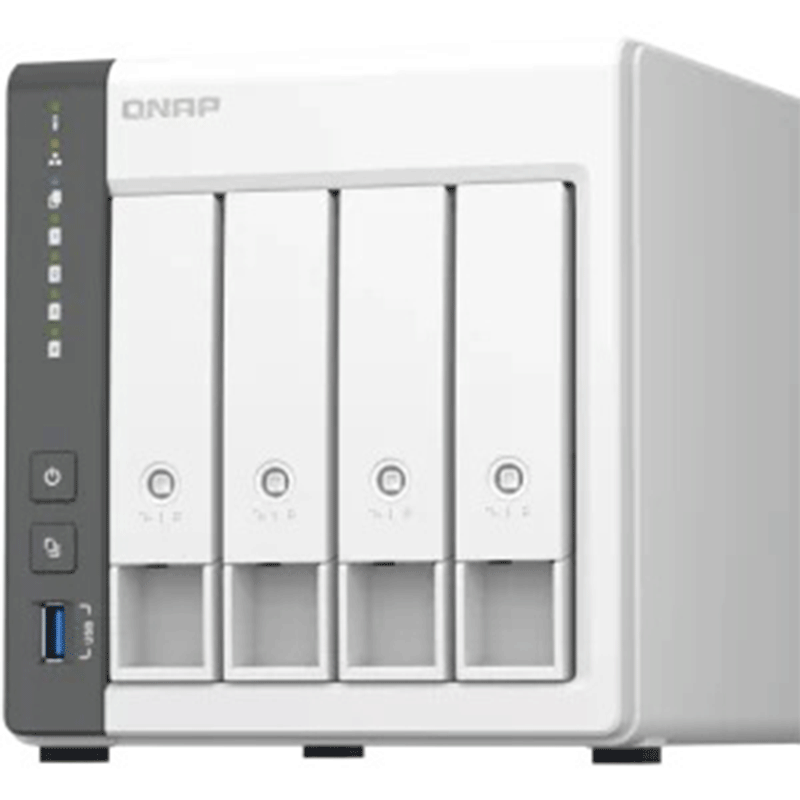
Discover the extensive features of QTS with the QNAP TS-433. Effortlessly back up your PC, phones, and tablets while enjoying remote access, RAID capabilities, cloud integration, and easy-to-use backup tools. The TS-433 excels in media functionality, making it a versatile and robust choice. QTS provides a full range of features, only constrained by the TS-433’s hardware specifications.
Build a personal private cloud & home multimedia center with a built-in NPU to boost AI-powered face recognition

Centrally store photos, music, and videos; easily browse, organize, and share multimedia files.
With a built-in NPU (Neural network Processing Unit) processor, the TS-433 boosts performance for high-speed face and object recognition.
Supports ARM NEON technology that accelerates video processing for a greater entertainment experience.
myQNAPcloud allows you to easily access, manage, and share NAS files via the Internet.
Protect your files and data from accidental deletion and malware attacks by using advanced snapshot protection.
Serves as a secure private cloud and supports user account protection, IP blocking, 2-step verification, encryption access, and more.
QNAP offers comprehensive, budget-friendly storage and networking solutions that provide an array of connectivity possibilities. Easily and flexibly upgrade your workplace or home network now to handle bandwidth-hungry applications.
The TS-433 features one 2.5GbE ports allow for link aggregation, pushing bandwidth up to 5 Gbps and maximizing data transfer speeds.
Servers and desktops can install PCIe-based that support 10G/5G/2.5G/1G/100M Multi-Gig.
Laptops and upgrade-limited computers can use that allows you to connect to 5G/2.5G/1G/100M networks via USB.
support 10G/5G/2.5G/1G/100M and allow connecting multiple workstations and devices for high-speed collaboration in device-dense environments.
The compact and slim TS-433 prioritizes a clean and minimal design means that you could actually have this thing on display as opposed to hiding it away in a cupboard and perfectly blends into your home or office. It has a single cooling fan, but it’s ultra-quiet. Thus, I can’t even hear it under normal operation and I’m sitting right next to it. The design extends to the hard drives, which can be installed without needing a screwdriver.
With a built-in NPU processor, the TS-233 boosts QNAP AI Core (the AI-powered engine for image recognition) performance for high-speed face and object recognition.
The AI-powered QuMagie with intelligent face and object recognition brings you the ultimate photo management and sharing solution. Includes timeline scrolling, customizable folder covers, iOS® Live Photo display, a powerful search tool, and more.
Comes with the QTS 5 operating system as standard thus providing a next-generation usage experience with an updated system kernel, optimized user interface, and advanced security features.
When navigating QTS 5, you will notice a finer attention to detail for a superior browsing experience. Enjoy a smoother NAS experience, comfortable visual design, and find your favorite apps quicker.
For the first-time performing installation, the notice board will guide you through the setup process. Simply follow the step-by-step instructions for a quick and easy setup.
Whether clicking buttons, switching between apps, expanding/collapsing windows – every action is much smoother. The search bar in the main menu also assists in quickly finding desired apps.
The TS-233 can do many things, but at its brain is a complete backup solution that protects your files and data by regularly backing up your files and device content, you can make data loss a thing of the past.
For Windows, install NetBak Replicator to back up your PC to the TS-433. For macOS, simply set up the built-in Time Machine to back up files to NAS.
Install Qfile or QuMagie mobile app and enable the “auto-upload” function. By doing this Photos will automatically be uploaded to your TS-433 as soon as they are taken.
Simply plug in the storage device to the front USB port and press the One-Touch, copy button to back up all files to the NAS.
Hybrid Backup Sync can safely back up files and data from Google Drive™ to the TS-433, helping you save money on cloud storage costs.
Hybrid Backup Sync supports all your favorite public cloud services, allowing you to effortlessly back up or sync NAS files to cloud storage.
With Hybrid Backup Sync, you can easily backup or sync files and data from the TS-433 to a remote QNAP NAS or server for multiplied data protection.
Enjoy efficient WordPress backup/restore and site migration by leveraging the user-friendly Multi-Application Recovery Service (MARS) and easily batch backup WordPress files and database to the TS-433 with backup scheduling.
Snapshots are an advanced backup method and are normally reserved for high-end business NAS. QNAP provides snapshots as standard for all NAS – including the TS-433. Snapshots work by recording the current state of the system, allowing it to be restored back this state at any time – greatly helping in mitigating the threat of ransomware.
Always remember to back up! You should routinely (or automatically) back up files and data from your computer to your TS-433.
Instantly take snapshots to record the current state of your system and data. You can quickly restore files and data to a previously recorded state by selecting a snapshot version from a specific time point.
Multiply data protection by backing up snapshot files! Replicate snapshots in the TS-433 to a remote NAS (Snapshot Replica) and only copy the changes made. This helps save time & bandwidth, and can be run manually or on a scheduled basis.
Snapshot content can be quickly restored to a local NAS, or restored on a folder/file basis to a local/remote NAS or cloud storage. You can also conveniently view and restore snapshots from the client side.
The QNAP TS-433 is a solid choice for users that want to store music, video, photos, and personal data locally, and make it available from anywhere in their own cloud allowing you to be always connected without needing to configure complex network settings. It offers two tool-free hot-swappable drive bays, a user-friendly operating system, and a sizable catalog of apps that let you use the NAS in a number of ways. The TS-433 performed well in our file transfer tests and was easy to install.
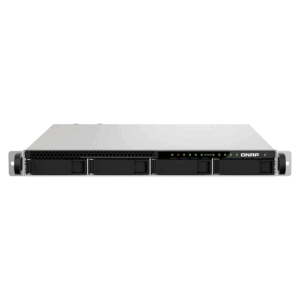
The TS-433eU is compatible with both 3.5″ HDDs and 2.5″ SSDs, offering flexibility to mix and match based on capacity needs and budget. QNAP has tested the TS-433eU with up to 22TB drives, supporting substantial storage options for various use cases. While the NAS lacks M.2 SSD caching, users can still enjoy SSD storage in the main bays for faster data access.
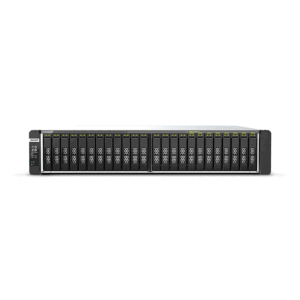
Connect expansion enclosures to the TS-433, and manage NAS storage expansion with the user-friendly Storage & Snapshots Manager app.
Mount cloud storage or remote file servers to expand the capacity of the TS-433 while also centrally managing files on the NAS, cloud storage, and remote devices.
Install your NAS hard drives into a larger QNAP NAS and retain all your existing data and configurations.
Hot-swap lower-capacity drives with larger-capacity drives to expand your NAS capacity so it can grow with your files and multimedia collections.
The TS-433 is backed by a 2-year warranty at no additional cost. You can also purchase a warranty extension that extends your warranty coverage up to 5 years.


Reviews
There are no reviews yet.