Enterprise Servers
Mobile Workstation
Tower and Rack Workstation Series

DELL EMC PowerEdge Servers

HPE ProLiant Servers


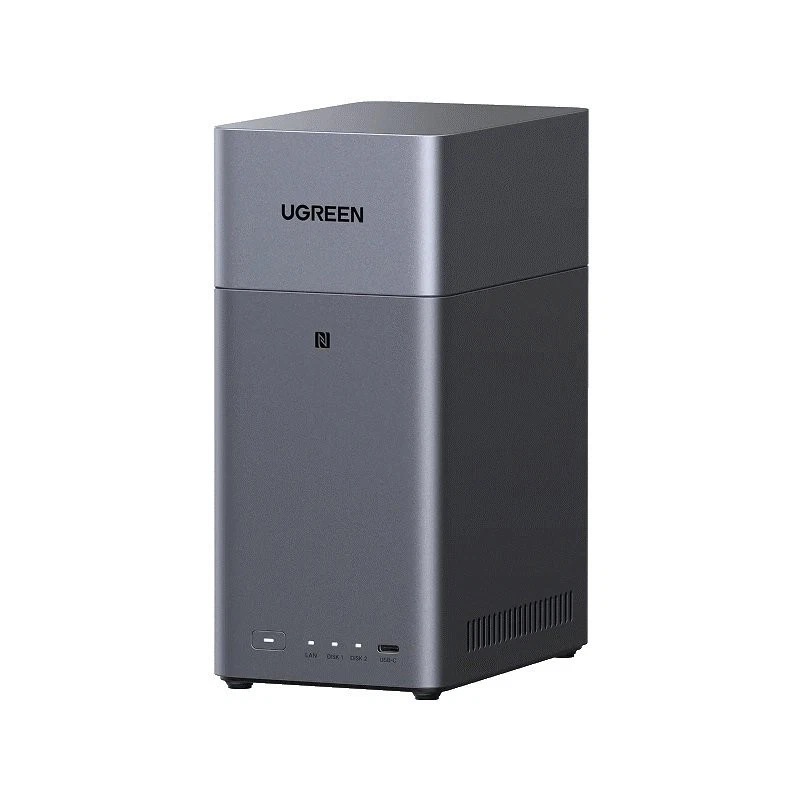
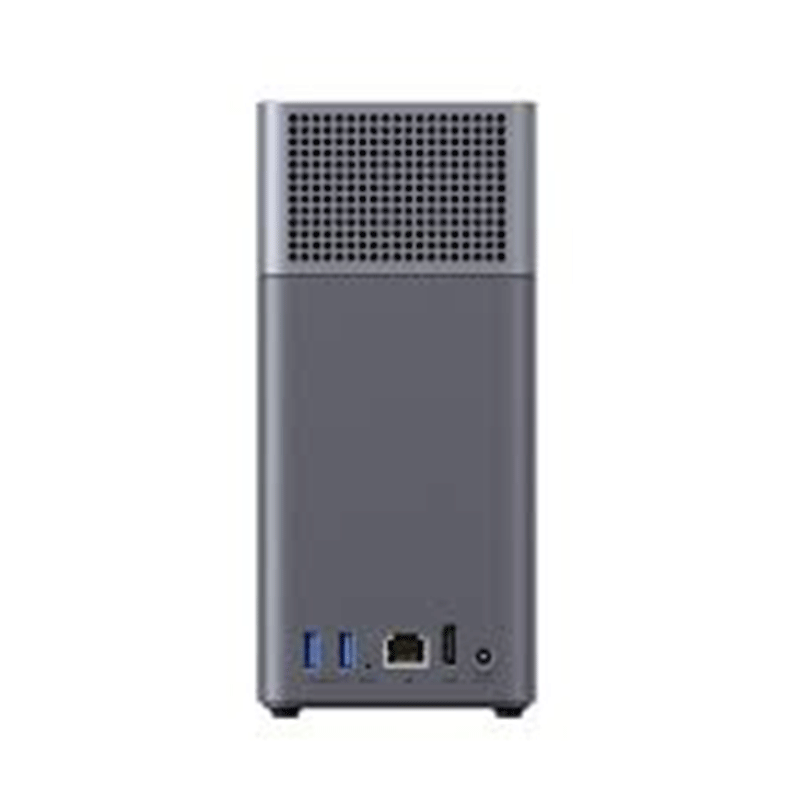
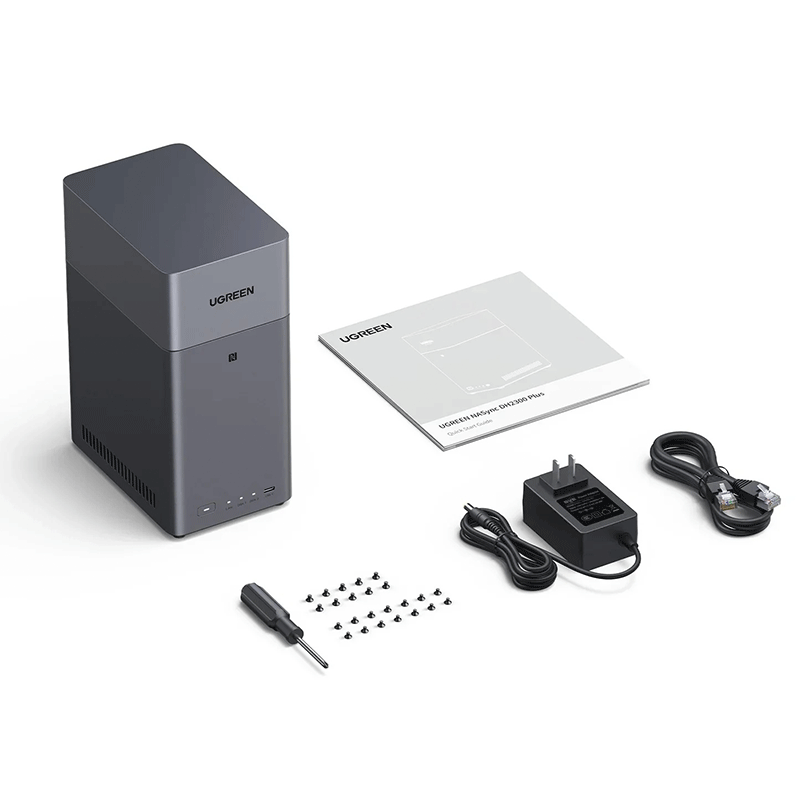
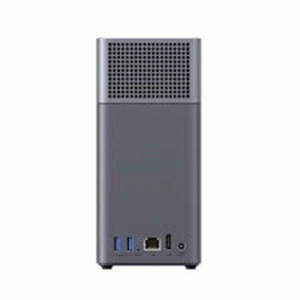
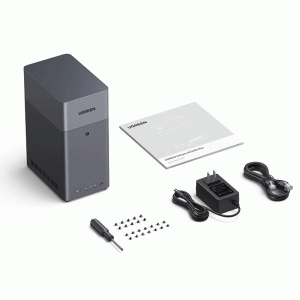
| Spec | Detail |
|---|---|
| Drive bays | 2 × SATA (supports 2.5″ or 3.5″ HDD/SSD) |
| Maximum storage capacity | Up to 60 TB total (2 × 30 TB drives) |
| Supported RAID / storage modes | JBOD, Basic, RAID 0, RAID 1 |
| Processor (CPU) | 8‑core Rockchip RK3576 (ARM), up to ~ 2.2 GHz |
| Memory (RAM) | 4 GB LPDDR4X (non-expandable) |
| System (OS) storage | 32 GB eMMC (for OS & system) |
| Operating System | UGOS Pro (pre‑installed) |
| Network interface | 1 × Gigabit Ethernet (RJ45, 1 GbE) |
| USB ports | 1 × USB‑C (USB 3.2 Gen 1, 5 Gb/s) + 2 × USB‑A (USB 3.2 Gen 1, 5 Gb/s) |
| Video output (for media playback) | 1 × HDMI (supports 4K @ 60 Hz) |
| Supported disk types | 2.5″ or 3.5″ SATA HDD/SSD (no M.2 slots) |
| Physical dimensions | 151 × 98 × 213.7 mm (L × W × H) |
| Power input / supply | 12 V / 4.2 A adapter |
| Typical power consumption | ~ 13.7 W (when drives active) / ~ 3.3 W (when drives in hibernation) |
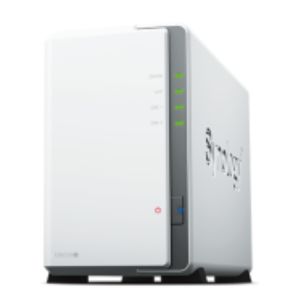
| Use-case orientation | Home / small‑office 2‑bay NAS for storage, backups, media serving, personal cloud storage |
2‑bay SATA NAS with up to 60 TB storage — You can install two hard drives (or SSDs), up to 30 TB each, giving a total of up to 60 TB. Good for large photo/video collections, backups, media libraries and more.
Flexible RAID modes — Supports JBOD, Basic, RAID 0 and RAID 1. You get the choice of maximizing storage space (RAID 0 / JBOD) or prioritizing data redundancy (RAID 1) for safety against drive failure.
4‑core (actually 8‑core) processor + 4 GB RAM for smooth/basic performance — Powered by an 8‑core Rockchip CPU with 4 GB LPDDR4X RAM and 32 GB eMMC system storage. That’s enough for typical NAS tasks: file storage, backups, streaming, media serving.
HDMI 4K/60 Hz output + USB ports + 1GbE LAN — Includes 1 Gigabit Ethernet port for network connection, 1 × USB‑C + 2 × USB‑A (USB 3.2) for external drives or peripherals, and an HDMI port that supports 4K@60 Hz — so you can plug the NAS directly into a TV to stream videos.
User‑friendly OS & easy setup (UGOS Pro + mobile/web app) — DH2300 runs on UGOS Pro, designed to guide users through setup quickly and easily. A companion NAS app lets you manage files, perform backups, stream media, etc., from smartphones, PCs, tablets, or smart TVs. Setup can take as little as ~10 minutes.
Local “personal cloud” with strong security & privacy — Your data stays locally stored on your own drives (not on third‑party cloud servers). The NAS supports encryption (TLS/SSL, RSA, AES), two‑factor authentication, user permissions, and comes with security‑management features including real‑time threat monitoring and virus scans.
Cross‑device & multi‑user access/sharing — You can access files from multiple devices (Windows, macOS, Android, iOS, smart TVs, web browsers) and share files/folders with others on the network. Efficient for households, families, or small offices needing shared storage.
Quiet and energy‑efficient for home use — Designed for everyday home use with modest power consumption and a small form factor, making it suitable to run 24/7 without creating too much noise or power draw.
Centralized file storage & sharing — Store documents, photos, videos, work files, etc. in one place instead of scattering across multiple external drives or devices. Multiple devices (PCs, phones, tablets, smart TVs) on your home/work network can access these files easily.
Automatic backups — Automatically back up computers, phones, tablets — including photo libraries, important documents, and videos — to the NAS, which helps protect against data loss due to device failure, accidental deletion or corruption.
Home‑media server & media streaming — Use DH2300 to store movies, TV shows, music, photos, and stream them to TVs, smart devices, or projectors over your home network. Its HDMI output (4K 60 Hz) and media‑server features make it suitable for connecting directly to a TV for playback — basically turning your NAS into a home theater/media hub
Private cloud / remote access — Instead of using public cloud services (with rent/subscription, privacy concerns, internet‑speed limitations), DH2300 lets you build your own private “cloud”: access and sync files remotely, share files with family or colleagues, and keep full control over your data.
Photo / video archive management — For families or creators: store large libraries of photos, videos (e.g. family memories, travel videos, 4K content), organize them, access them from multiple devices anytime. For many people, it replaces or complements external drives or cloud storage for large media collections.
Shared access for multiple users or devices (home or small office) — If multiple people (family members, colleagues) need to access the same storage — media, documents, shared files — DH2300 offers centralized access & sharing.
You might especially benefit from DH2300 if you:
Have many photos, videos or large files and want them stored centrally and accessible by different devices.
Want to keep automatic backups of phones/computers/data at home without relying on paid cloud services.
Want a media server so that you can watch movies or view photos on a TV or multiple devices without copying files around.
Want a private cloud — own your data, keep it under your control, and access it from anywhere if configured.
Share data or media between family members or small office users, where multiple people need access to same storage.
Want to replace or supplement external hard drives and avoid the hassle of plugging/unplugging drives all the time.


Reviews
There are no reviews yet.