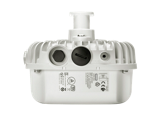
Ubiquiti UniFi AC Mesh Pro Access Point – 5 Pack (UAP-AC-M-PRO-5)
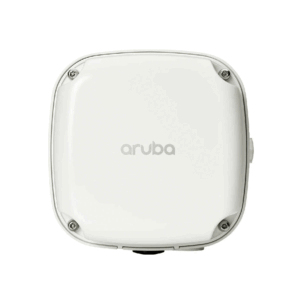
The Ubiquiti UniFi 802.11AC Outdoor Access Point Mesh Pro, 1750Mbps features High-Performance Wide-Area Wi-Fi with UniFi Mesh Technology. No power supplies included in 5 Packs.
Ubiquiti UniFi Outdoor Access Point Mesh Pro 5 Pack Specifications
- 5 X UAP-AC-M-PRO models
- 2.4 GHz Speed 450 Mbps
- 2.4 GHz MIMO 3 x 3
- 5 GHz Speed* 1300 Mbps
- 183 m (600 ft) Range
- Dimensions: 343.2 x 181.2 x 60.2 mm (13.5 x 7.1 x 2.4 in)
- Mounting Options: Wall or pole (mounts included)
- Weatherproofing: IPX4 rated (suitable for outdoor use)
- Power Method: 802.3af PoE (Power over Ethernet)
- Coverage Area: Up to 185 m² (2,000 ft²) per unit
- Max Client Count: 250+ devices per AP
- Uplink: Gigabit Ethernet
Features
- Weather-Resistant Form Factor: The enclosure of the UniFi AC Mesh Pro AP is designed to withstand the elements, making it ideal for outdoor deployment.
- LED: Unique provisioning LED provides administrator location tracking and alerts for each device.
- Powerful Coverage: Built-in dual-band omni directional antennas deliver expanded range coverage outdoors.
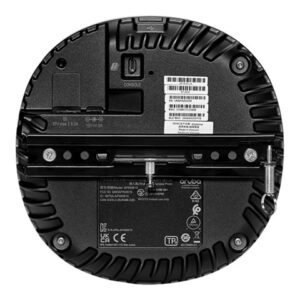
- Mounting Flexibility: The UniFi AC Mesh Pro AP can be mounted on a wall or pole. (All accessories are included.)
- Dual Gigabit Ethernet Ports: The primary port is for data and PoE; the secondary port is for bridging.
- Multiple Power Options: You can power the UniFi AC Mesh Pro AP with an 802.3af compatible switch or UniFi PoE Switch. We recommend powering your UniFi devices with a UniFi PoE Switch (sold separately).
UniFi Controller
- Packed with Features: Use the UniFi Controller to provision thousands of UniFi APs, map out networks, quickly manage system traffic, and provision additional UniFi APs.
- RF Map: Use the RF map to monitor and analyze radio frequencies for optimal AP placement, configuration, and troubleshooting.
- Powerful RF Performance Features: Advanced RF performance and configuration features include spectral analysis, airtime fairness, and band steering.
- Detailed Analytics: Use the configurable reporting and analytics to manage large user populations and expedite troubleshooting.
- Wireless Uplink: Wireless Uplink functionality enables wireless connectivity between APs for extended range. One wired UniFi AP uplink supports up to four wireless downlinks on a single operating band, allowing wireless adoption of devices in their default state and real-time changes to network topology.
For devices that support Plug & Play Mesh, this functionality is extended to allow multi-hop wireless uplink – so wirelessly uplinked APs can support uplink to other wirelessly uplinked APs. - Multi-Site Management: A single cloud-based UniFi Controller can manage multiple sites: multiple, distributed deployments and multi-tenancy for managed service providers. Each site is logically separated and has its own configuration, maps, statistics, guest portal, and admin read/write and read-only accounts.
- WLAN Groups: Manage flexible configurations of large deployments. Create multiple WLAN groups and assign them to an AP’s radio.
Common Applications
- Outdoor Wi-Fi Networks: Ideal for parks, campuses, stadiums, and large outdoor venues.
- Mesh Networking: Seamlessly extends coverage without needing wired backhaul between access points.
- Enterprise Deployments: Used in hotels, schools, and corporate campuses to provide robust wireless access.
- Temporary Installations: Great for events or pop-up locations due to easy mounting and flexible deployment.
Mesh & Connectivity
- Mesh networking: Seamlessly extends coverage without needing wired backhaul between units.
- 6 spatial streams: Enhances data throughput and reliability.
- Gigabit Ethernet uplink: Ensures fast wired connectivity to your network.
Installation & Durability
- Weatherproof design: IPX4-rated enclosure for outdoor use in various climates.
- Flexible mounting options: Can be mounted on walls or poles, with hardware included.
- Power over Ethernet (PoE): Simplifies installation by eliminating the need for separate power cables
Setup & Management
- Managed via the UniFi Network Application, which allows configuration, monitoring, and firmware updates
- Installation requires basic tools like a drill, screwdriver, and wrench depending on mounting method


Reviews
There are no reviews yet.