TERRAMASTER D1 SSD Plus 40Gbps M.2 NVMe SSD Enclosure – Aluminum M.2 Enclosure USB Type-C, Compatible with USB 4/3.2/3.1/3.0/2.0, Thunderbolt 5/4/3, Mobile App for Data Backup Included (Diskless)
Description
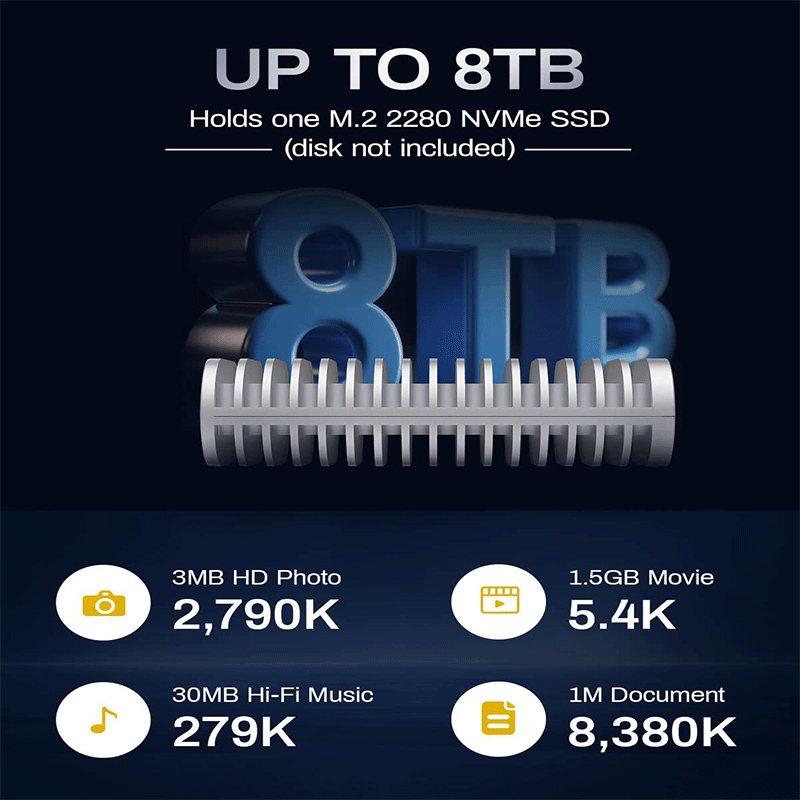
TerraMaster D1 SSD Plus — a portable high-speed external SSD enclosure that lets you install an M.2 NVMe SSD (up to 8 TB) and connect it via USB4/Thunderbolt for ultra-fast transfers (up to ~3850 MB/s), broad compatibility with Macs, PCs and consoles, and silent fanless cooling in a rugged aluminum case.
Specifications
-
M.2 SSD Compatibility: PCIe NVMe M.2 2280 SSD (user-installed, up to 8 TB)
-
Drive Bays: 1 slot
-
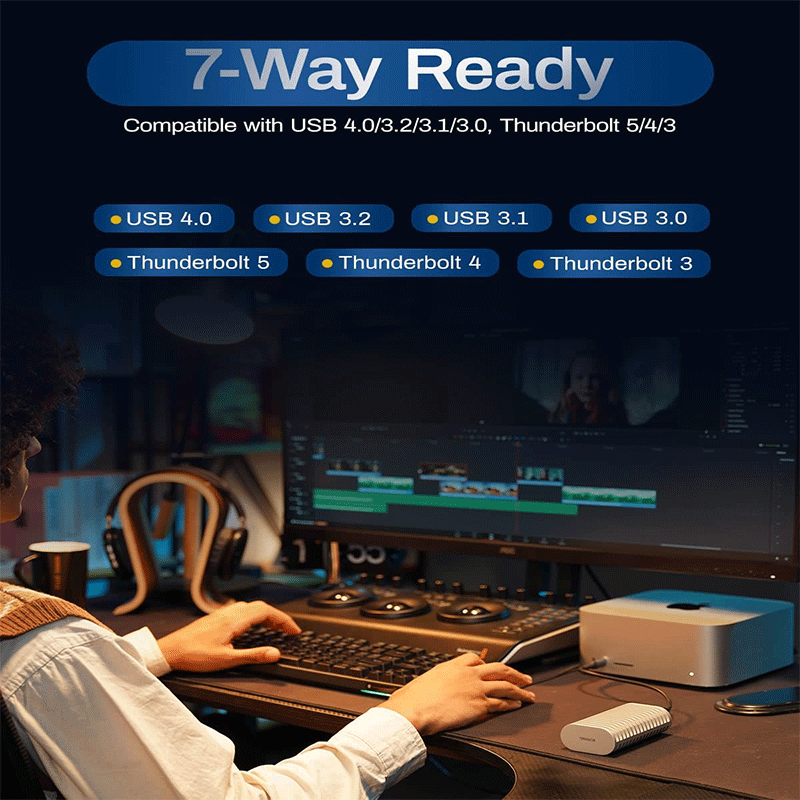
Interface: USB4 (40 Gbps) — compatible with Thunderbolt 3/4/5 and USB-C ports
-
Max Transfer Speeds:
-
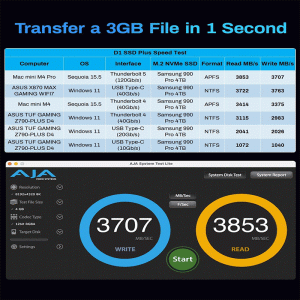
Read: ~3641 MB/s (tested with Samsung 990 Pro)
-
Write: ~3498 MB/s (tested with Samsung 990 Pro)
-
-
Supported File Systems: NTFS, APFS, Mac OS, FAT32, EXT4, exFAT
-
Dimensions: 112.5 × 60.0 × 33.0 mm
-
Weight: ~246 g (net)
-
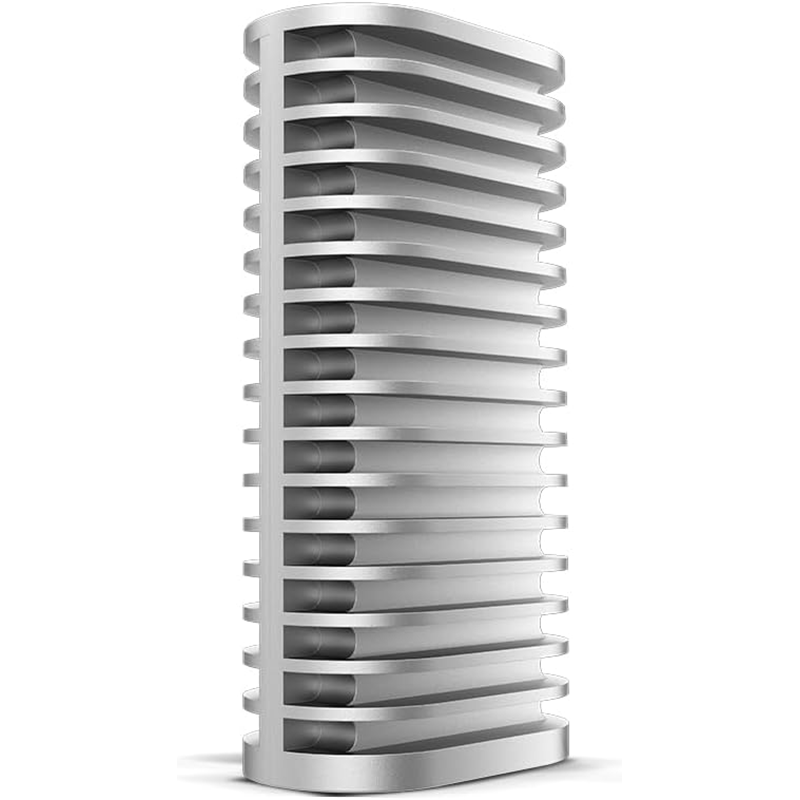
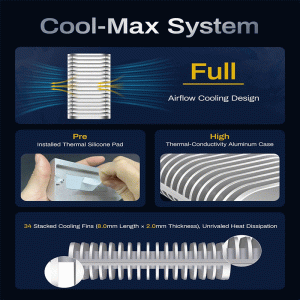
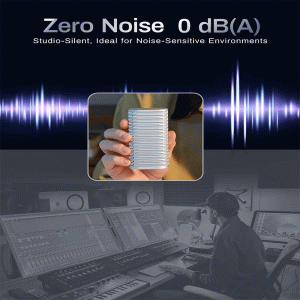
Cooling: Fanless, all-aluminum enclosure (no noise)
-
Power: USB-powered (5 V)
-
Operating Temp: 0 °C to 40 °C
-
Storage Temp: −20 °C to 60 °C
-
Humidity: 5 % – 95 % RH
-
OS Support: macOS, Windows 11 (24H2 or later)
-
Certifications: CE, FCC, CCC, KC, RoHS compliant
-
Warranty: 2 years
-
Package Includes: Enclosure, USB4 cable (C-to-C), quick install guide, carry bag, warranty note
Features
1. Ultra-High-Speed USB4 Performance
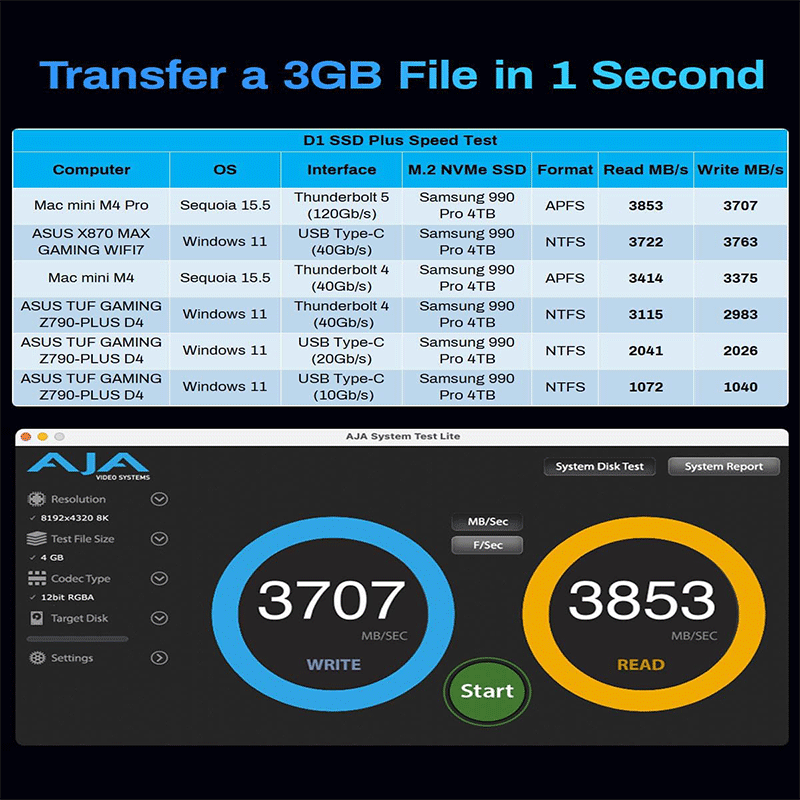
The D1 SSD Plus uses a USB4 (40 Gbps) interface, which enables extremely fast data transfer when paired with a high-performance M.2 NVMe SSD. This helps you move large files — like 4K/8K video, backups, and projects — much quicker than traditional USB-C enclosures. Speeds can reach over ~3850 MB/s read and ~3700 MB/s write in ideal setups, significantly cutting wait times during editing and transfers.
2. Massive Storage and Flexibility
It supports M.2 NVMe SSDs (2280 size) up to 8 TB capacity (you install the SSD yourself). This means you can choose the size and performance level you want — from a fast 1 TB SSD for speed-focused workflows to a large 8 TB drive for huge media libraries or backups.
 3. Passive Cooling & Silent Operation
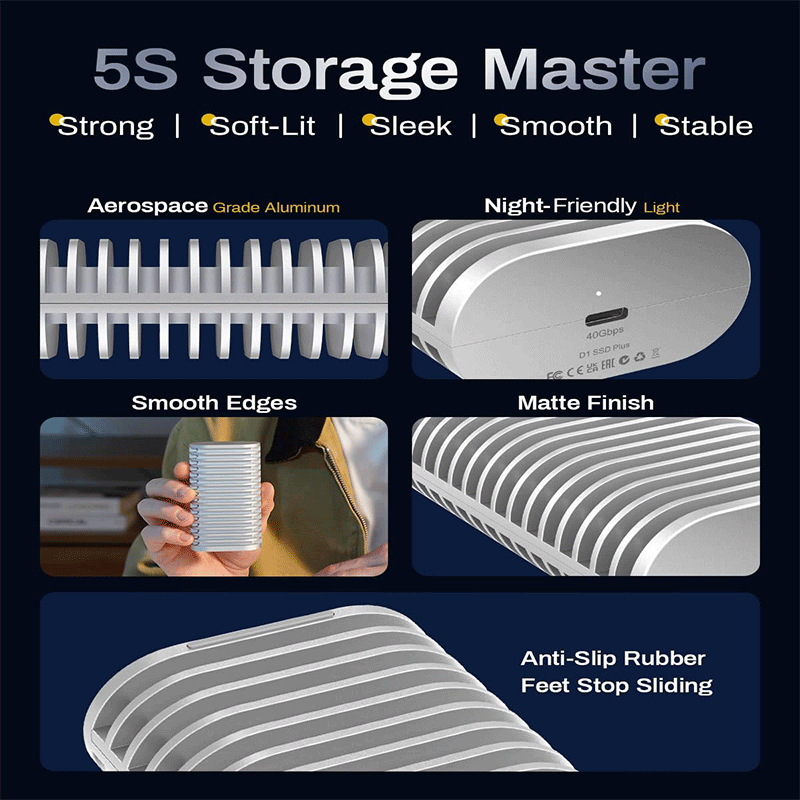
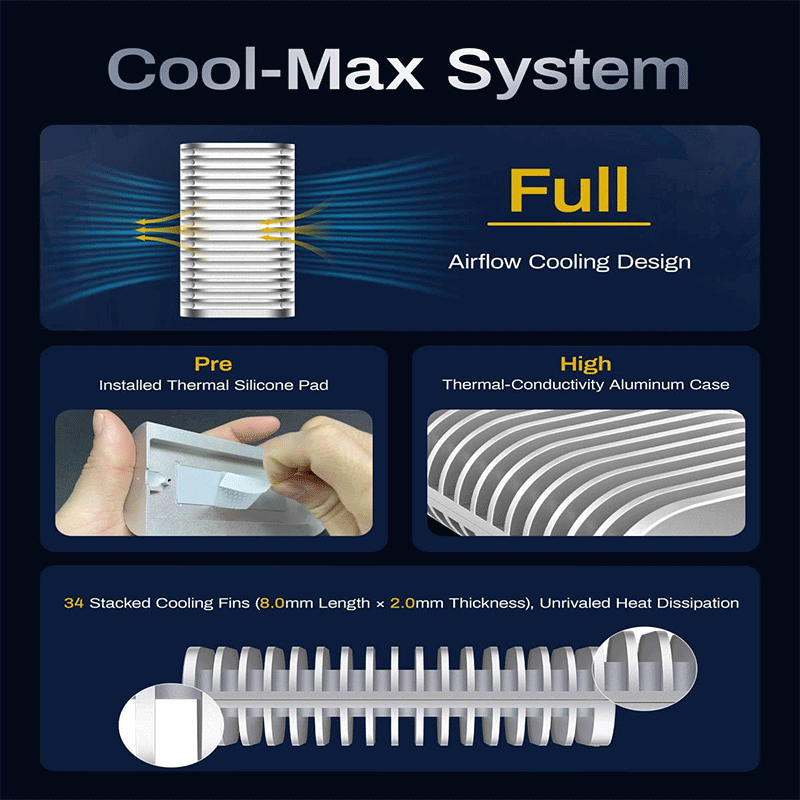
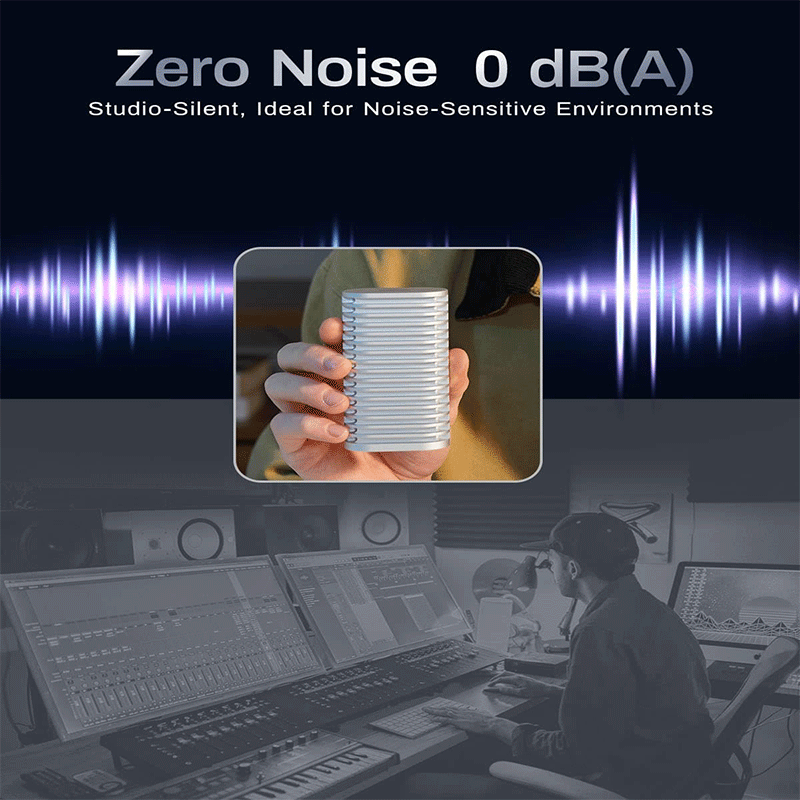
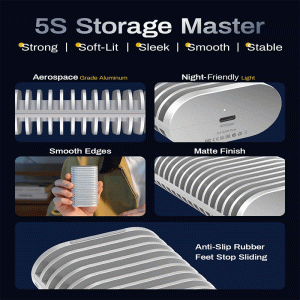
Instead of using a fan (which can be noisy and a point of failure), the enclosure has a fan-less all-aluminum body with enhanced heat dissipation surface area. This passive cooling keeps SSD temperatures down under heavy workloads without noise, making it ideal for quiet workspaces and long editing sessions.
4. Premium Build Quality
The chassis is made from aerospace-grade aluminum alloy, machined with CNC precision for durability and stiffness. This not only helps with thermal management but also makes the enclosure rugged enough for frequent travel or studio use. Small touches like anti-slip rubber feet and a micro-perforated LED indicator improve stability and usability.
5. Broad Compatibility
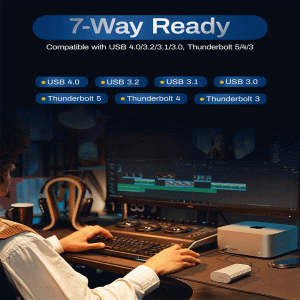
The D1 SSD Plus works with Thunderbolt 3/4/5, USB4, and various USB-C standards (USB 3.2/3.1/3.0/2.0), so it can connect to a wide range of devices — including Macs, Windows and Linux PCs, and even gaming consoles — without needing drivers.
6. Backup & Utility Support
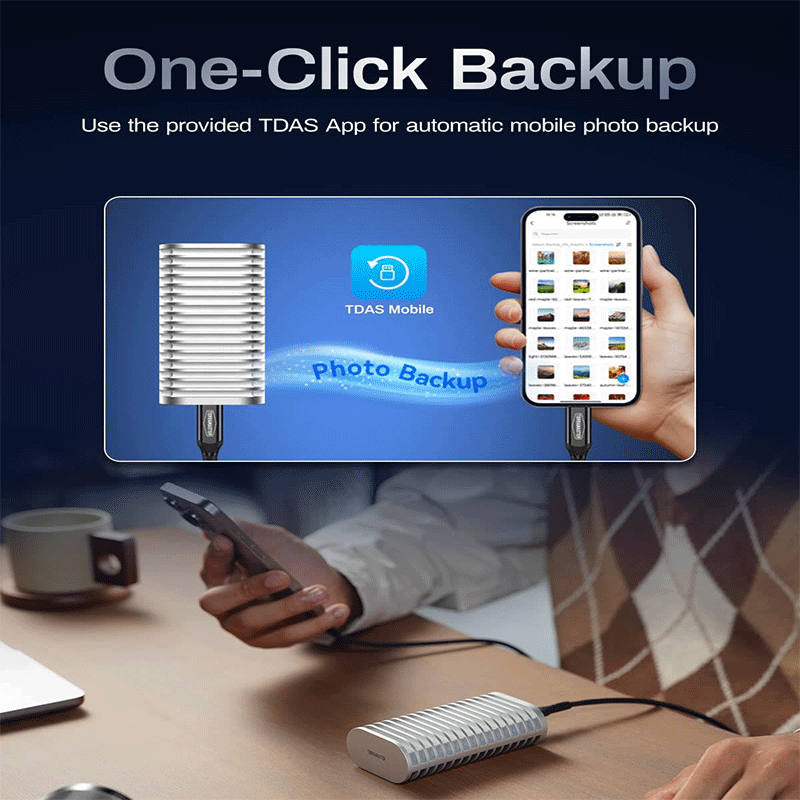
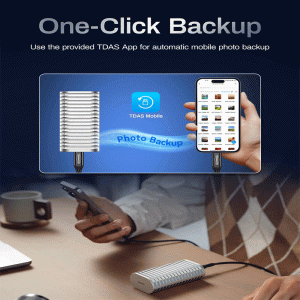
Alongside being a fast external storage device, it can also serve as a backup hub. TerraMaster offers software like TDAS (for mobile photo/video backups) and TPC Backupper (for scheduled Windows backups), helping protect your data across platforms.
7. Easy Installation & Portability
Installing or replacing an M.2 SSD is designed to be quick and user-friendly (often under a few minutes), and the compact aluminum body with a carry bag makes it easy to take your storage with you.
Applications Use Cases
1. 4K/8K Video Editing & Creative Workflows
Because of its ultra-fast USB4 interface (up to ~40 Gbps) and high read/write speed (3,800 MB/s+ with a fast NVMe SSD), the D1 SSD Plus can handle heavy video editing directly off the drive. That means smooth playback, fast scrubbing through footage, and real-time editing — even with demanding codecs like ProRes or DNxHR.
2. Portable High-Performance Storage for Projects
Use it as a mobile project drive for photographers, designers, or content creators who need to carry large project files (RAW images, multi-gigabyte assets) between locations, studios, or client meetings without sacrificing speed.
3. macOS Boot Drive & System Expansion
It can serve as a bootable macOS drive or an external storage expander — especially useful for systems with limited built-in storage like MacBook Air or Mac mini. You can install macOS on the SSD inside the D1 enclosure and boot right from it.
4. Backup Hub for Multiple Devices
With TerraMaster’s backup tools (e.g., TDAS mobile app and TPC Backupper for Windows), the D1 SSD Plus becomes a backup center — enabling fast backups of photos/videos from iPhone/Android devices as well as scheduled system and file backups on PCs.
5. On-The-Go & Travel Storage
Its compact, rugged, fan-less aluminum design makes it great for carrying around on business trips, shoots, or client visits. You can quickly connect to laptops or tablets using USB-C and access large data libraries anywhere.
6. Fast Storage for Gaming & Consoles
Because it supports USB4/Thunderbolt and high speeds, it’s suitable for storing game libraries or running games directly from the enclosure on compatible systems and consoles — giving you quick load times and smooth performance.
7. Extended Storage for Everyday Use
Even if you’re not a professional, it’s excellent as a high-speed external drive for everyday large file transfers, media libraries (e.g., family photos, movies), and general computing tasks where fast access and reliability matter.


Reviews
There are no reviews yet.