Enterprise Servers
Mobile Workstation
Tower and Rack Workstation Series

DELL EMC PowerEdge Servers

HPE ProLiant Servers


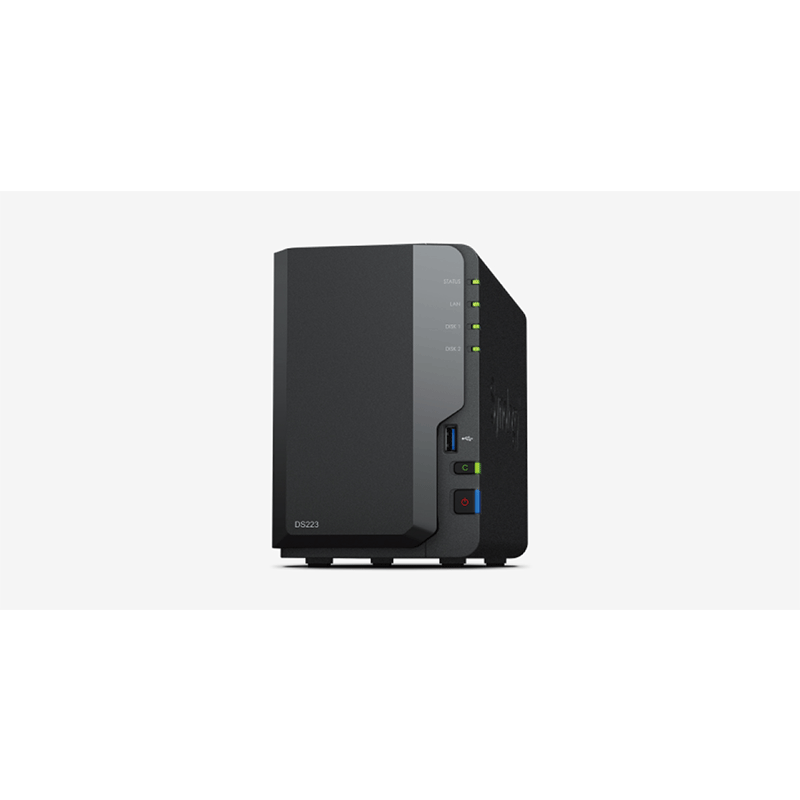
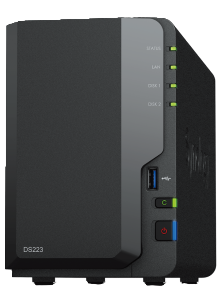
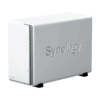
Users who want a compact, reliable 2‑bay NAS for home or small office use. Good for backups, file sharing, media storage, private cloud.
Suitable for lightly‑used media streaming (especially if the client does decoding rather than doing heavy transcoding).
Good choice if you don’t need very high performance, nor extreme expandability.
If you want something affordable but still with Synology’s software (DSM), snapshots, shared folders, etc.
The Synology DiskStation DS223 is well suited for:
Home users who want a central place to store their photos, videos, documents, backups.
Small offices needing basic file sharing, backups, network storage for a small number of users.
Media enthusiasts who mostly stream rather than require heavy transcoding.
Users who want the Synology ecosystem (DSM, snapshots, mobile apps, external backup, etc.) but on a lower budget.
Synology DiskStation DS223 It’s less suited for:
Heavy virtualization or running many containers or apps that require lots of memory or CPU power.
Large scale video decoding / transcoding demands.
Environments that require very high network throughput (10Gb or more) unless there’s external support or upgrades.
The “anytime, anywhere” access promise is mostly realized via:
QuickConnect: Allows you to access your NAS over the internet without needing advanced router configuration.
Synology Drive / Synology Photos: Apps and web‑interfaces to browse, sync, upload from phones/computers.
VPN or secure remote protocols: If you set up VPNs or use HTTPS / secure file sharing features.
Synology provides quite a few built‑in tools to enable collaboration, file sync, sharing, versioning, etc. The DS223 supports most of these out of the box (or via installable packages) through Synology’s DSM software.
Synology DiskStation DS223 Surveillance Station transforms any Synology system into a powerful network video recorder (NVR).
RAM is fixed at 2 GB, non‑expandable. Limits performance for heavier workloads (many users, running containers, big file transfers, or using apps that require more memory).
Only 1 Gigabit Ethernet port; no built‑in 10GbE. So network can be a bottleneck for large throughput.
CPU is modest, so heavy transcoding (e.g. Plex with many streams, on‑the‑fly video conversions) will be limited.
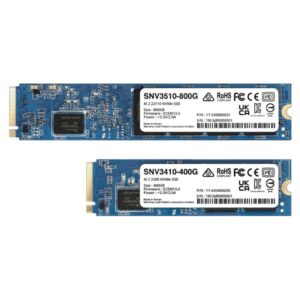
No built‑in NVMe cache slots (unlike more premium Synology models).
May have limitations with certain advanced Synology packages — some features (e.g. container virtualization, heavy apps) may be restricted. Reddit posts suggest “DS223 doesn’t support VMM (Virtual Machine Manager)” and some packages may not be available or optimized.
|
Hardware Specifications
|
||
|---|---|---|
|
CPU
|
CPU Model | Realtek RTD1619B |
| CPU Quantity | 1 | |
| CPU Core | 4 | |
| CPU Architecture | 64-bit | |
| CPU Frequency | 1.7 GHz | |
| Hardware Encryption Engine | ||
|
Memory
|
System Memory | 2 GB DDR4 non-ECC |
| Notes | Synology reserves the right to replace memory modules with the same or higher frequency based on supplier’s product life cycle status. Rest assured that the compatibility and stability have been strictly verified with the same benchmark to ensure identical performance. | |
|
Storage
|
Drive Bays | 2 |
| Drive Type |
|
|
| Hot Swappable Drive* | ||
|
External Ports
|
RJ-45 1GbE LAN Port | 1 |
| USB 3.2 Gen 1 Port | 3 | |
| USB Copy | ||
| Notes | This device’s 1GbE LAN ports have a maximum transmission unit (MTU) size of 1,500 bytes. | |
|
Appearance
|
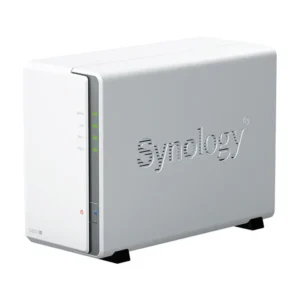
Size (Height x Width x Depth) | 165 mm x 108 mm x 232.7 mm |
| Weight | 1.28 kg | |
|
Others
|
System Fan | 92 mm x 92 mm x 1 pcs |
| Fan Speed Mode |
|
|
| Brightness Adjustable Front LED Indicators | ||
| Power Recovery | ||
| Noise Level* | 14.6 dB(A) | |
| Scheduled Power On / Off | ||
| Wake on LAN / WAN | ||
| Power Supply Unit / Adapter | 60 watts | |
| AC Input Power Voltage | 100V to 240V AC | |
| Power Frequency | 50/60 Hz, Single Phase | |
| Power Consumption* | 17.343 watts (Access) 4.08 watts (HDD Hibernation) |
|
| British Thermal Unit | 59.19 BTU/hr (Access) 13.92 BTU/hr (HDD Hibernation) |
|
| Notes |
|
|
|
Temperature
|
Operating Temperature | 0°C to 40°C (32°F to 104°F) |
| Storage Temperature | -20°C to 60°C (-5°F to 140°F) | |
| Relative Humidity | 5% to 95% RH | |
|
Certification
|
|
|
|
Warranty
|
2-year hardware warranty, extendable to 4 years with Extended warranty Plus | |
| Notes |
|
|
|
Environment
|
RoHS Compliant | |
|
Packaging Content
|
|
|
|
Optional Accessories
|
|
|



Reviews
There are no reviews yet.