Enterprise Servers
Mobile Workstation
Tower and Rack Workstation Series

DELL EMC PowerEdge Servers

HPE ProLiant Servers


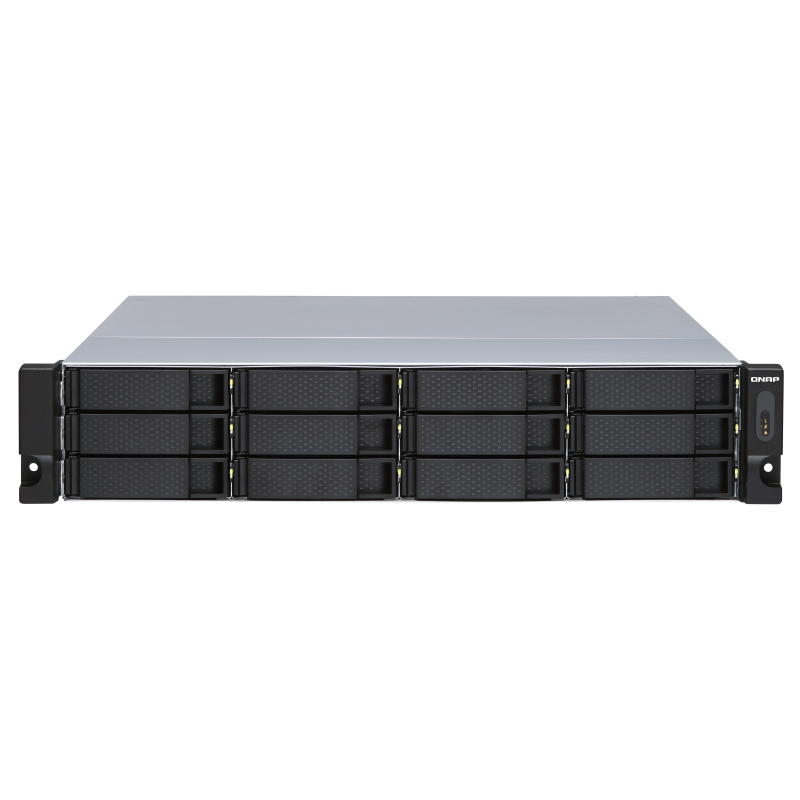
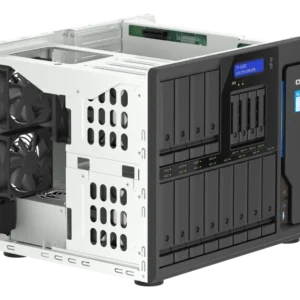
Back up and expand your QNAP NAS, as well as Windows, Linux, and Ubuntu computers and servers with the 12-Bay TL-R1200S-RP JBOD Storage Enclosure from QNAP. It features 12 x 3.5″/2.5″ SATA III 6 Gb/s drive bays with three SFF-8088 ports to provide a fast and smooth expansion solution. You can also obtain data protection by building a software RAID 0, RAID 1, and RAID 5 volume with a native utility in your Windows and Ubuntu computers, then use the QNAP JBOD Manager to monitor the status of your TL-R1200S-RP. Included is a QXP-1600eS SATA expansion card, three mini-SAS cables (SFF-8644 to SFF-8088), thirty-six flat head screws for 2.5″ drives, forty-eight flat head screws for 3.5″ drives, and two power cords.
The TL-R1200S-RP provides software-controlled storage configuration for greater management flexibility. You can configure RAID and monitor JBOD enclosure and disk health with Storage & Snapshots when connected to a QTS or QuTS hero NAS, or with the QNAP JBOD Manager utility when connected to a computer.
You can connect your TL-R1200S-RP to Windows and Ubuntu computers and servers through the SFF-8088 (or SFF-8644) high-speed cable and use built-in utility to manage the RAID configuration.
Note:
1. QXP series PCIe cards do not support Mac Pro.
2. If there are any unexpected boot failures during QXP PCIe cards installation on the host, please check with the host manufacturing company for any new BIOS updates. Alternatively, you can try disabling the boot from the PCIe slot function or disable the external graphics card option.
3. The TL-R1200S-RP manufactured before February 2022 comes with the QXP-1600eS SATA expansion card which requires driver installation to work with Windows/Ubuntu. The QXP-1600es Ubuntu driver currently supports Ubuntu 18.04.2/20.04.3 LTS (Kernel 3.10 ~ 5.4.0). Please go to the to install the driver
The QNAP JBOD Manager is a desktop utility for monitoring the TL-R1200S-RP on Windows and Ubuntu computers. You can quickly obtain the disk statuses, JBOD information and health, view fan rotation speed, and check for firmware version updates. All device events are recorded, and will send desktop notifications when a system alert occurs.
Install an exclusive QXP PCIe card onto your QNAP NAS, Windows or Ubuntu PC and servers to connect the JBOD enclosure via SFF-8088 (or SFF-8644) cable, for easy and flexible storage expansion.
The TL-R1200S-RP features SFF-8088 (or SFF-8644) connectivity and multiple SATA 6Gb/s bays. This provides better sequential read performance and faster data transfer speeds than existing USB and eSATA expansion enclosures, while also being a more economical option compared to a QNAP REXP SAS enclosure.


Reviews
There are no reviews yet.