Enterprise Servers
Mobile Workstation
Tower and Rack Workstation Series

DELL EMC PowerEdge Servers

HPE ProLiant Servers


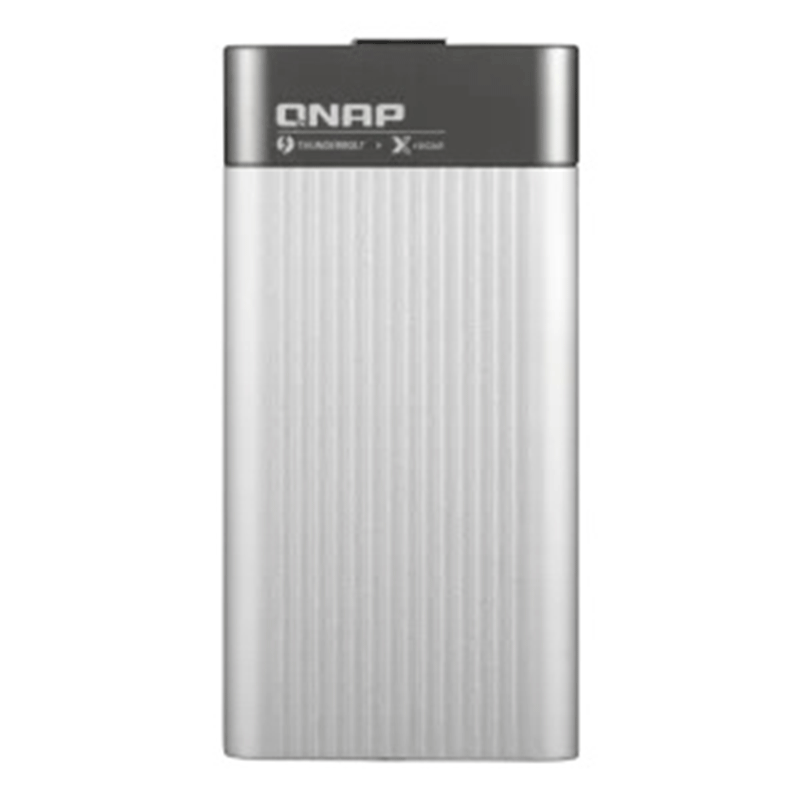
The QNAP QNA series is a cost-effective Thunderbolt 3 to 10GbE adapter that empowers your Mac® or Windows® computers with blazing-fast 10GbE network connectivity using a Thunderbolt 3 type-C port. And of course, it can be used with QNAP Thunderbolt™ 3 NAS to add additional 10GbE connectivity. With the portable QNA series adapter, a 10GbE network can be created between your Thunderbolt 3 computer and another 10GbE-capable device or NAS to facilitate high-speed data transfer for large files and help to streamline collaborative workflows to improve efficiency.
The QNAP QNA series is a cost-effective Thunderbolt 3 to 10GbE adapter that empowers your Mac and Windows® computers with blazing-fast 10GbE network connectivity using a Thunderbolt 3 type-C port. With the portable QNA series adapter, a 10GbE network can be created between your Thunderbolt 3 computer and another 10GbE-capable device or NAS to facilitate high-speed data transfer for large files and help to streamline collaborative workflows to improve efficiency.
Please note:
1. QNA Series adapters will not work when connected using a Thunderbolt 2 to Thunderbolt 3 adapter.
2. To ensure optimal performance, it is recommended to set the Jumbo Frames on all the devices in your local network environment to MTU 9000.
The Thunderbolt 3 to 10G adapter easily connects to Mac, Windows, Linux, and even QNAP Thunderbolt 3 NAS with the included Thunderbolt 3 cable. It’s small, compact shape fits wherever you go, and never require any additional power cables.
As video resolutions move from 1080p, to 4K, 8K (and beyond) media creators are struggling with the storage and network requirements needed for editing huge multimedia files. The QNA series comes with two models. The QNA-T310G1T features a Thunderbolt 3 to 10GbE Multi-Gigabit (10G/5G/2.5G/1G/100M) port and The QNA-T310G1S features 10GbE SFP+ port , allowing you to easily add 10GbE connectivity to any Thunderbolt 3 device. Coupled with a QNAP 10GbE switch, a budget-friendly 10GbE environment can be created for creative studios to benefit from the incredible speed and bandwidth that 10GbE provides.

The QNA series features a metallic bright-toned cover that fits perfectly alongside other devices.
The QNA series requires no extra power supply, making it easy carry it around for universal deployment.
The QNA series has shallow grooves on its top for effective heat dissipation.
Simply connect a QNA adapter to your Mac or Windows computer using the included Thunderbolt 3 cable and connect the adapter to a 10GbE-capable switch, NAS, or other device using a 10GbE cable (RJ45 Cat 5e/Cat 6a cable or above or a SFP+ DAC).
Designed with shallow grooves for optimal heat dissipation, ensuring sustained performance.
Mac: Open “System Preferences” → go to “Network” → Select the QNA Thunderbolt Ethernet → click “Advanced…” → go to the “Hardware” tab → change “Configure” to “Manually” → set “MTU” to “9000”.
Windows: Open “Settings” → go to “Network & Internet” → click “Change your adapter options” → right click on the Thunderbolt 3 Ethernet adapter and click “Properties” → click “Configure…” → go to the “Advanced” tab → select “Jumbo Frame” and set the value to “9KB MTU”.
NAS: Open “Network & Virtual Switch” → go to “Network” > “Interfaces” → find the applicable Ethernet adapter, click  and select “Configure” → go to the “IPv4” tab → set “Jumbo Frame” to 9000.


Reviews
There are no reviews yet.