Enterprise Servers
Mobile Workstation
Tower and Rack Workstation Series

DELL EMC PowerEdge Servers

HPE ProLiant Servers


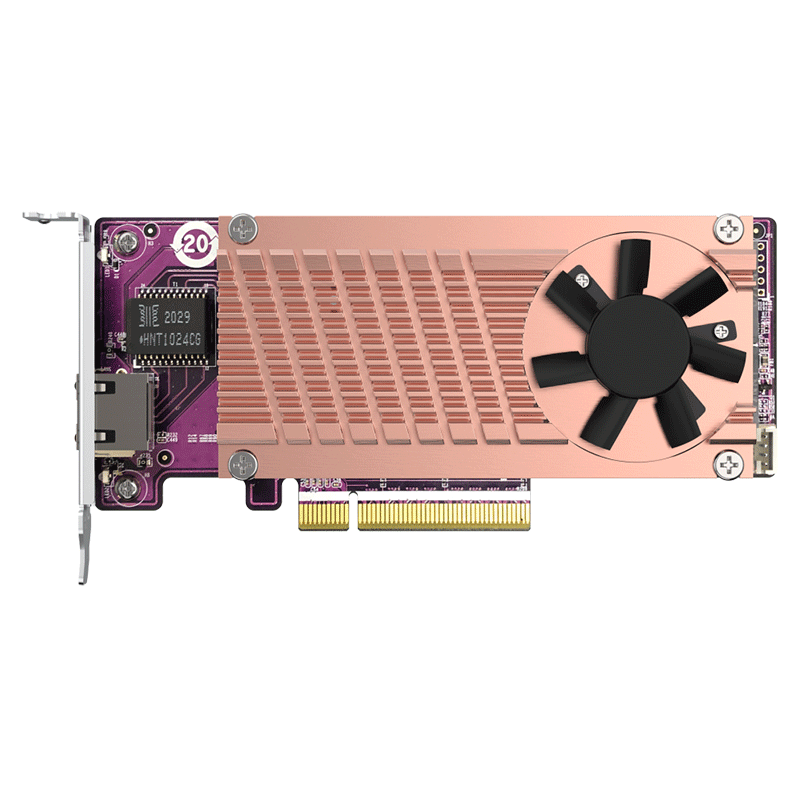
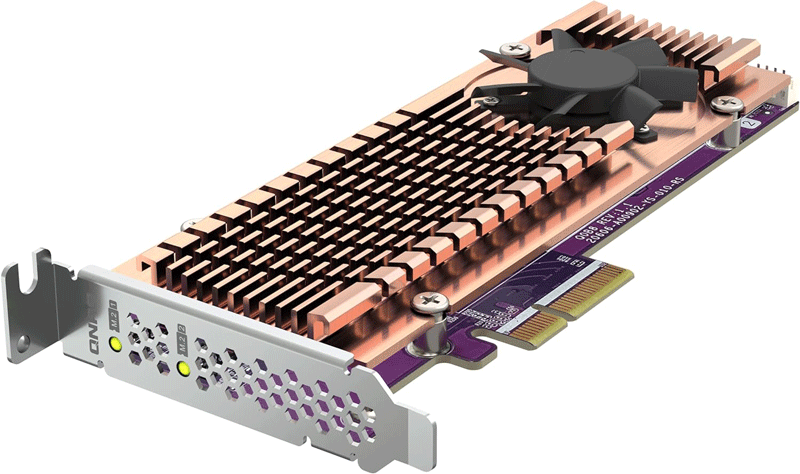
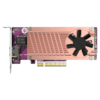
Add NVMe SSDs to your QNAP NAS with the QM2-2P-344A to increase storage capacity and boost performance. Explore the QNAP QM2-2P-344A Dual M.2 PCIe SSD Expansion Card a powerhouse of innovation and efficiency for your storage needs
No drivers or extra software are required.
Configure SSD caching, an SSD volume, or Qtier (QNAP’s auto-tiering technology) to improve overall NAS performance.
Keeps your SSDs cool and maintains high performance.
Easily install M.2 SSDs in your NAS with a screw-less, easy-to-use locking method.
A quiet cooling module (heatsink and smart fan) minimizes overheating risks and sustains constant high performance.

Alternatively, you can set up Qtier auto-tiering to your NAS to improve overall system performance and maximize storage utilization. Qtier is only supported by x86-based NAS (Intel or AMD) and 64-bit ARM-based NAS with 2GB RAM and QTS 4.4.1 (or later).
Photographers and videographers can tackle high-resolution RAW multimedia editing directly on NVMe SSD volumes where RAID configurations will help preventing data loss from drive failure.
Configure RAID in the QM2-2P-344A to obtain data protection and/or performance acceleration with your computer’s built-in software RAID 0/1 functionality.
How to Install:
Installing the QNAP QM2-2P-344A Dual M.2 PCIe SSD Expansion Card is a breeze. Simply slot in the M.2 SSDs into the designated PCIe slots choose the bracket that fits your system configuration and enjoy boosted performance and efficient storage management.


Reviews
There are no reviews yet.