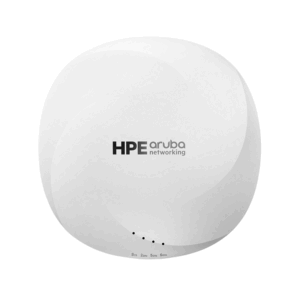
Huawei AirEngine 5761-21 access point with 2 x 10M/100M/1GE (RJ-45), 1 x USB, Wi-Fi 6
Description
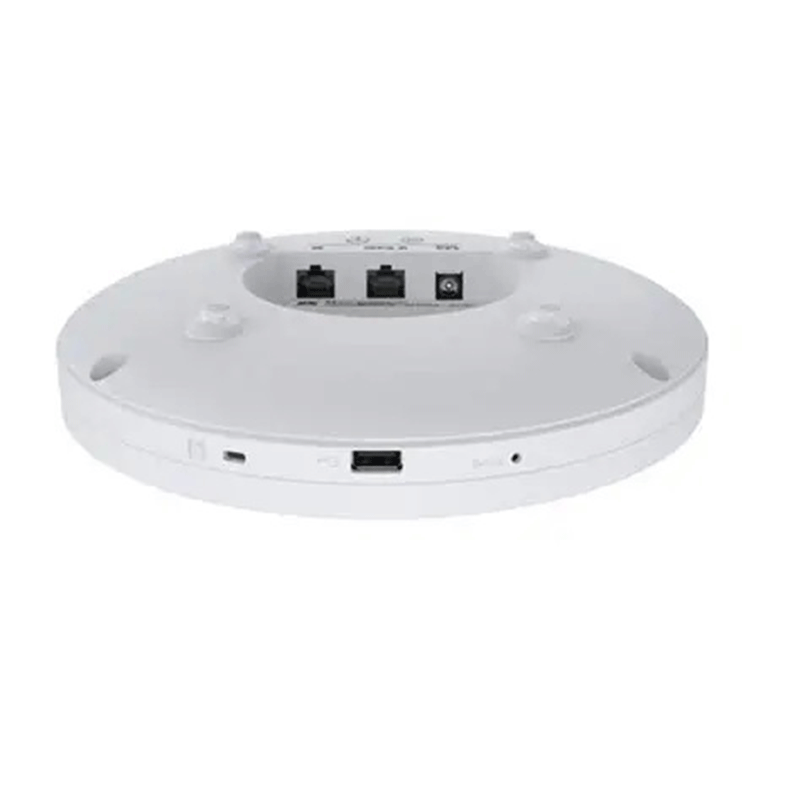
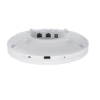
- Security slot
- GE
- USB
- 2.5GE/PoE_IN
- DC 12V
Specifications
- Wi-Fi Standard: Wi-Fi 6 (802.11ax)
- Spatial Streams: 6 total (2.4 GHz: 2×2 MIMO, 5 GHz: 4×4 MIMO)
- Maximum Rate: Up to 5.375 Gbit/s
- Smart Antennas: Built-in, enabling signal tracking for optimal coverage
- Technologies:
- MU-MIMO (Multi-User Multiple Input Multiple Output)
- OFDMA (Orthogonal Frequency Division Multiple Access)
- 1024-QAM for higher data throughput
- Interfaces: USB, Bluetooth
- Use Cases: Ideal for small to midsize enterprise offices, educational institutions, and retail outlets
AirEngine 5761-21 Product Highlights
- Wi-Fi 6 (11ax) technology
- Smart antenna design
- Dual frequency bands
- USB and Bluetooth functions
- Enhanced indoor coverage
Features & Advantages of AirEngine 5761-21
- Wi-Fi 6 Technology Supports advanced features like:
- Multi-User Multiple-Input Multiple-Output (MU-MIMO)
- Orthogonal Frequency Division Multiple Access (OFDMA)
- 1024-QAM modulation These enable faster, more efficient data transmission.
- High Throughput Delivers up to 5.375 Gbit/s air interface rate across six spatial streams—ideal for high-bandwidth applications.
- Dual-Band Support Operates simultaneously on:
- 2.4 GHz (2×2 MIMO)
- 5 GHz (4×4 MIMO) This ensures better coverage and performance across devices.
- Smart Antennas Built-in smart antennas dynamically adjust signal direction to follow users, enhancing coverage and reducing dead zones.
- High Data Rate
- Delivers a maximum air interface rate of up to 5.375 Gbit/s, ideal for bandwidth-intensive applications.
- Six Spatial Streams
- Supports six spatial streams for enhanced data rates and capacity
- Compact and Versatile Design Suitable for various indoor environments like:
- Small and midsize enterprise offices
- Educational institutions
- Retail outlets
- Additional Features Includes USB and Bluetooth support for extended functionality
Primary Use Cases
- Enterprise Offices: Ideal for small to midsize businesses needing reliable, high-speed wireless connectivity for employees and guests.
- Educational Institutions: Supports high-density environments like classrooms and lecture halls, enabling seamless access to digital learning tools.
- Retail Outlets: Enhances customer experience with stable Wi-Fi for mobile payments, inventory systems, and customer engagement platforms.
Technical Highlights Supporting These Applications
- Dual-band Support: Operates on both 2.4 GHz (2×2 MIMO) and 5 GHz (4×4 MIMO) bands for flexible deployment.
- Smart Antennas: Built-in antennas dynamically adjust to user movement, ensuring consistent signal quality.
- High Throughput: Delivers up to 5.375 Gbps, suitable for bandwidth-intensive applications like video conferencing and cloud computing.
- Advanced Features: Wi-Fi 6 Technology includes MU-MIMO, OFDMA, and 1024-QAM for efficient data transmission and reduced latency
Indicators and Buttons
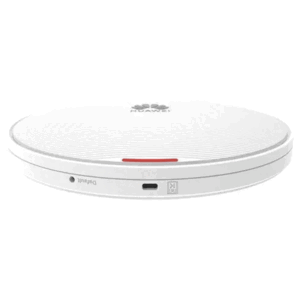
Indicators on the AirEngine 5761-21
| Silkscreen | Name | Color | Status | Description |
| System indicator | – | Off | The system is not running. | |
| White | Steady on | · The system is just powered on.
· The system is starting after a reset. · The upper-layer system is starting. |
||
| White | Steady on after blinking once | After the hardware reset is cleared and the software starts, the indicator blinks once. Then, the indicator is steady on until the bottom-layer system starts. | ||
| White | Slow blinking (0.5 Hz) | The AP is running properly, the Ethernet connection is normal, and STAs are associated with the AP.
This state is supported in V200R022C00 and later versions. |
||
| White | Slow blinking (0.2 Hz) | The AP is running properly, and the Ethernet connection is normal.
For V200R022C00 and later versions, this state also indicates that no STA is associated with the AP. |
||
| White | Blinking once every 0.25s (4 Hz) | · The bottom-layer system is being started.
· The software is being upgraded. · After the software is loaded and started, the AP requests to go online in Fit or cloud management mode. The indicator remains in this state till the AP successfully goes online. |
||
| Red (blinking red and white at the same time, causing color deviation) | Blinking once every 0.25s (4 Hz) | Hold down the Default button for more than 6 seconds to restore the factory settings.
This function is supported in V200R024C00 and later versions. |
||
| Red | Steady on | The system is faulty. |


Reviews
There are no reviews yet.