Enterprise Servers
Mobile Workstation
Tower and Rack Workstation Series

DELL EMC PowerEdge Servers

HPE ProLiant Servers


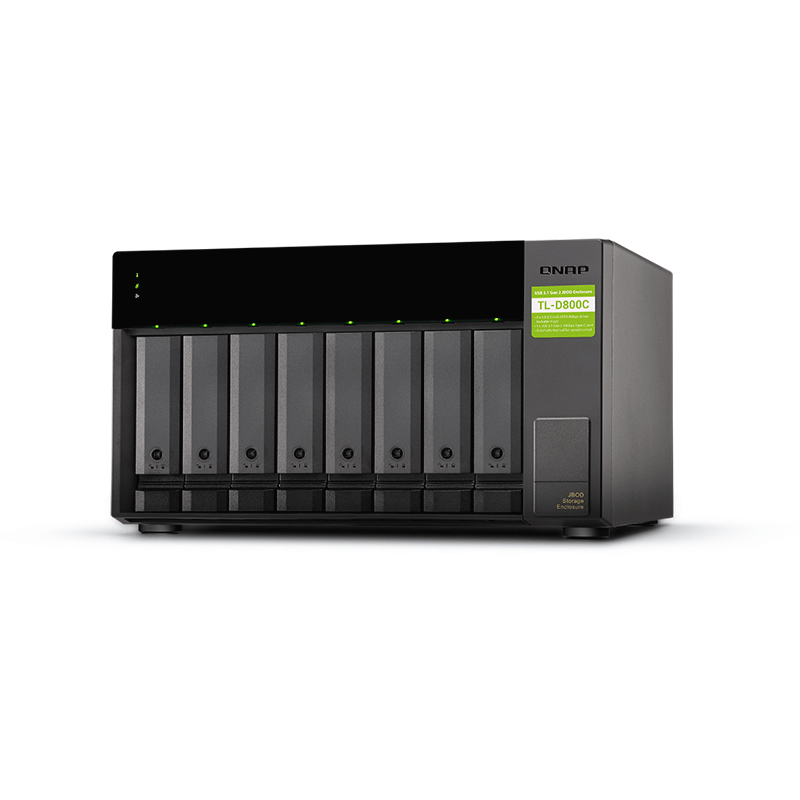
The TL-D800C JBOD storage enclosure allows you to back up and expand your QNAP NAS and computers (supports Windows and Mac, Linux, and Ubuntu computers and servers). The TL-D800C features eight 3.5-inch SATA 6Gb/s drive bays with USB 3.2 Gen 2 (10 Gbps) Type-C connectivity to provide a fast and smooth expansion solution. Lockable hard-drive trays help prevent accidental drive removal and the status of the enclosure can be monitored using the LED indicators. You can also obtain data protection by building a software RAID 0, RAID 1, and RAID 5 volume with a native utility in your Windows and Ubuntu computers, then use the QNAP JBOD Manager to monitor the status of your TL-D800C.
features:
You can use your TL-D800C with Windows, Mac, and Ubuntu computers to expand more storage space. You can set up the RAID configuration of your TL-D800C to further secure data protection. Moreover, you can also use the single-disk mode and format with the exFAT file system for more convenient access and sharing of files between Windows and Ubuntu computers.
a) Mode 1: RAID Configuration Mode
You can obtain data protection by building a software RAID 0, RAID 1, and RAID 5 volume with the native utility in your Windows and Ubuntu computers, and use the QNAP JBOD Manager to monitor the TL-D800C status information.
b)Mode 2: Single Disk Mode
You can format hard drives with the exFAT file system while accessing and sharing files between Windows and Ubuntu computers. Your QNAP NAS can also use the exFAT file system by buying the exFAT driver license from the QNAP Software Store.


Reviews
There are no reviews yet.